
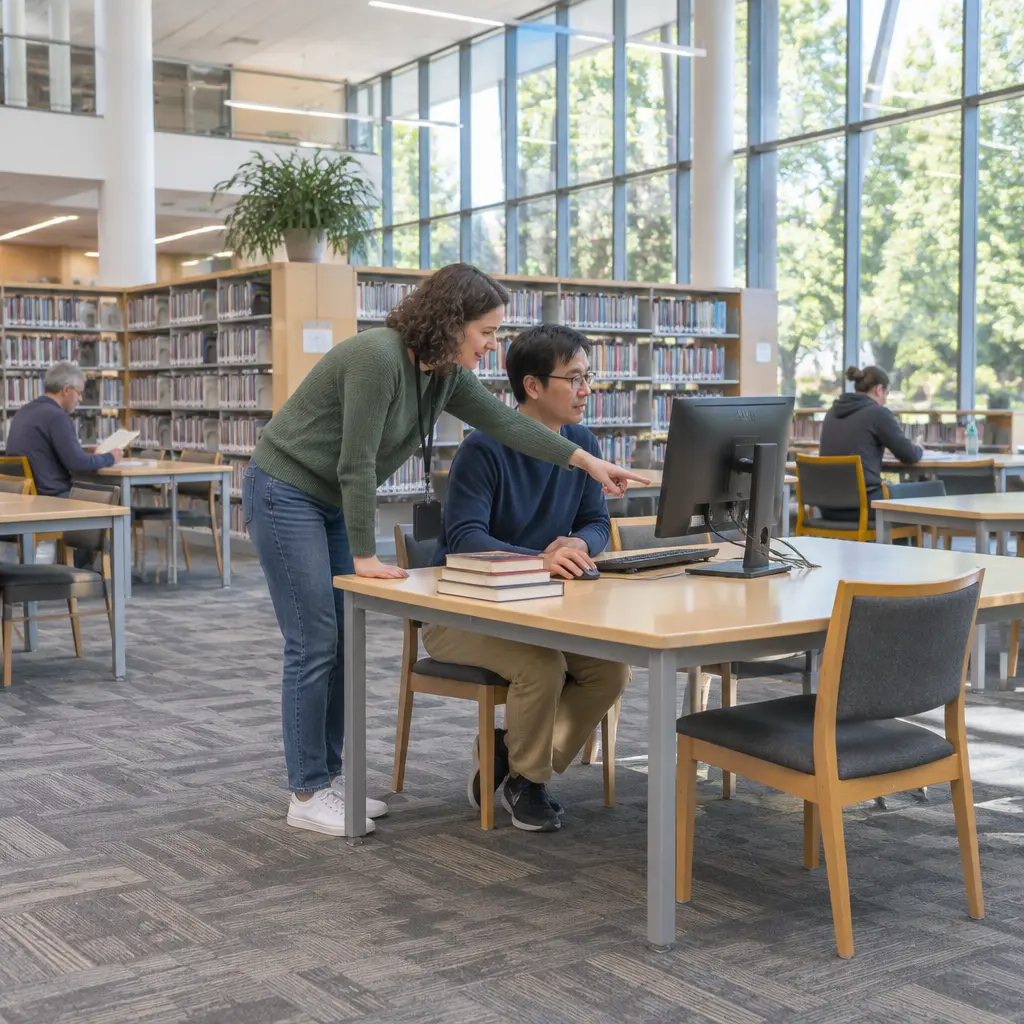
Library technology is the digital infrastructure, tools, and services libraries use to help people find information, learn, communicate, and participate in community life. It matters because access to devices, reliable internet, digital skills, and trusted guidance is still uneven: the U.S. Census Bureau reported that 94% of U.S. households had a computer in 2023, meaning millions did not, while the National Telecommunications and Information Administration has documented continuing gaps in broadband adoption. Public libraries help close these gaps through public computers and Wi-Fi, technology training, digital collections, assistive tools, and online services. Their impact reaches beyond convenience: it supports education, job seeking, access to government services, health information, and social connection.
Expanding Digital Access Through Library Technology
Digital access is the ability to connect to the internet and use suitable devices and services. The Federal Communications Commission defines broadband through performance benchmarks, while the National Digital Inclusion Alliance emphasizes that meaningful digital inclusion also requires affordable service, appropriate devices, digital skills, and technical support. Libraries contribute to all of these conditions, although they cannot replace the need for affordable home connectivity and broader public investment.
The American Library Association’s Public Library Technology Survey has documented libraries’ role in providing internet access, computers, Wi-Fi, and technology assistance. These services are particularly important for people who lack reliable home access, including low-income households, rural residents, older adults, students, and people with disabilities. Library technology is not one single service; its related forms include public-access computing, connectivity, digital collections, skills instruction, and accessible technology.
Public Computers and Wi-Fi
Public-access computing means providing shared computers and internet connections for community use. Library users may need these resources to complete schoolwork, apply for jobs, print forms, attend online appointments, or communicate with family. Wi-Fi extends access to personal devices inside library buildings and, in some communities, beyond them through lending programs or hotspot checkout.
The U.S. Census Bureau’s 2023 American Community Survey estimated that roughly 6% of U.S. households had no computer. That national figure masks differences by income, age, geography, and household circumstances. A computer and connection available at the library can therefore be a practical gateway to services that increasingly assume users can go online. Libraries should also account for privacy: shared computers need clear sign-in procedures, secure browsing practices, and reminders that users should protect passwords and personal information.
Hotspots and Device Lending
Device lending programs allow patrons to borrow technology—such as laptops, tablets, or mobile hotspots—for use outside the library. Hotspots provide a portable internet connection, while laptops and tablets let borrowers complete tasks that are difficult on a phone, including writing applications, joining classes, and using specialized software.
These programs can help address the “homework gap,” the disadvantage students face when they lack dependable internet or a suitable device outside school. A hotspot alone, however, may not solve every access problem: coverage can be weak in remote areas, data limits may restrict use, and borrowers may need help setting up devices. Effective lending programs pair equipment with technical support, accessible instructions, and policies that respond to local demand.
Access is most useful when people can confidently use it. That makes digital literacy and individualized help a natural extension of connectivity services.
Building Digital Skills Through Library Technology
Digital literacy is the ability to find, evaluate, create, and communicate information using digital technologies. The American Library Association’s digital-literacy framework treats these abilities as a combination of technical skills and informed participation, rather than simply knowing how to operate a device. Libraries support this learning through classes, drop-in assistance, one-to-one guidance, and self-directed resources.
Skills instruction can help people use email, video calls, word-processing software, online job portals, telehealth platforms, and public-service websites. It can also help users evaluate online claims, recognize scams, and understand privacy settings. Because technology changes quickly, libraries often provide continuing support rather than a one-time course.
Technology Classes and One-to-One Support
Technology instruction includes structured courses and informal assistance tailored to a learner’s goals. A beginner might learn to use a mouse and keyboard; another patron might need help creating a résumé, joining a virtual meeting, or uploading documents to an application. This flexible, task-based approach can make learning relevant and reduce the embarrassment some people feel when asking for help.
The Institute of Museum and Library Services’ data on public libraries and the American Library Association’s technology surveys show that public libraries offer a broad mix of services, including public computers, internet access, and technology training. The specific offerings vary by location and funding. Libraries can strengthen results by partnering with schools, workforce agencies, community colleges, and nonprofits, and by evaluating programs through attendance, learner feedback, and practical outcomes such as completed applications or increased confidence.
Media and Information Literacy
Media and information literacy is the ability to locate information, judge its credibility and purpose, and use it responsibly. In an environment shaped by social media, search engines, manipulated images, and generative artificial intelligence, these skills are essential to informed decision-making. Librarians can teach users to check the author and publication, compare claims with reliable sources, identify persuasive or misleading content, and distinguish evidence from opinion.
The Stanford History Education Group’s research on civic online reasoning found that many students struggled to evaluate online information, including sponsored content and the credibility of sources. Its findings underscore why information evaluation belongs alongside basic computer skills. Libraries can provide a neutral setting for guided practice, while helping patrons understand that verification requires context and multiple sources—not just a polished webpage or a high search ranking.
Once users can access and assess digital information, technology can connect them with library collections and learning opportunities that extend well beyond a building.
Connecting Communities to Knowledge and Services
Digital library services make resources available through websites, catalogs, apps, and online platforms. They include electronic books and audiobooks, databases, digitized local-history materials, research guides, and remote account services. These tools extend the library’s reach, allowing users to discover and use resources outside regular building hours, subject to licensing, device, and connectivity requirements.
E-books, Databases, and Remote Learning
Digital collections are organized electronic resources that patrons can access through library systems. E-books and audiobooks support reading and language learning; scholarly and news databases help students and researchers find materials; and online learning platforms can offer courses in subjects ranging from workplace software to personal finance.
The Institute of Museum and Library Services reports that U.S. public libraries serve communities through extensive collections, programs, and public services. Digital resources complement physical collections, but access is not automatic: patrons may need a library card, a compatible device, and an internet connection, while licensing agreements can limit the number of simultaneous users or the duration of a loan. Libraries therefore need to explain access steps clearly and maintain both digital and in-person options.
E-Government, Employment, and Telehealth Support
E-government services are public services delivered through websites and digital platforms. Applications for benefits, tax information, permits, and other services increasingly require online forms or accounts. Libraries can provide computers, printing, scanning, connectivity, and basic navigation assistance, helping residents participate even when they do not have those tools at home.
Library assistance can also support job searches, online training, and telehealth access. The U.S. Department of Health and Human Services has documented telehealth’s expanding role in health care delivery, while the Federal Communications Commission has highlighted broadband’s importance for health, education, and economic opportunity. Library staff generally do not act as government caseworkers, employment counselors, or health professionals; their role is to help patrons access information and technology, and to refer people to qualified services when needed. Protecting confidentiality is essential, especially when users handle sensitive forms or health information on shared devices.
These services work best when technology is designed for different abilities, languages, and levels of experience—not only for users who already find digital systems easy to navigate.
Improving Inclusion, Accessibility, and Community Resilience
Inclusive library technology is designed to reduce barriers related to disability, language, income, age, and digital experience. Accessibility features can include screen readers, magnification, captions, adjustable text, accessible websites, and adaptive keyboards. Libraries can also provide multilingual guidance and select tools based on community consultation rather than assuming one solution works for everyone.
Assistive Technology and Accessible Services
Assistive technology includes devices and software that help people with disabilities access information and complete tasks. Examples include screen-reading software for people who are blind or have low vision, speech recognition for people who cannot use a standard keyboard, and captions for people who are deaf or hard of hearing. The World Wide Web Consortium’s Web Content Accessibility Guidelines provide internationally recognized recommendations for making digital content more accessible.
Accessibility should extend across the whole service: the website, the catalog, the device, staff support, and the physical space. The U.S. Census Bureau’s disability statistics show that disability affects a substantial share of the population, though rates differ by age and location. Libraries can make progress by testing services with disabled users, training staff, maintaining accessible equipment, and offering alternatives when a digital service is not usable.
Libraries as Trusted Community Technology Hubs
A community technology hub is a local place where people can access connectivity, devices, guidance, and learning in a supportive environment. Libraries are well positioned to serve this role because they are public institutions with established community relationships and a mission to provide access to information. During emergencies, they can also help residents find official updates, charge devices where facilities allow, and reconnect with essential information—although their capacity depends on power, staffing, connectivity, and emergency plans.
Research from the Pew Research Center has found that Americans value public libraries as educational and community institutions. Such public trust can make libraries effective partners in digital inclusion, but trust must be earned through privacy-conscious practices, transparent technology policies, and reliable service. Libraries also need sustained funding: equipment requires replacement, software needs maintenance, and staff time is necessary for instruction and troubleshooting.
The scale and effectiveness of library technology can be illustrated with a simple comparison chart: categories such as computer access, Wi-Fi, device lending, digital-skills instruction, and accessible services can be listed alongside local participation, wait times, and user feedback. Libraries can use these measures to identify unmet needs and make the case for investment without treating raw device counts as a substitute for meaningful outcomes.
Conclusion: Investing in Library Technology for Stronger Communities
Library technology matters because digital access, digital skills, online collections, and accessible services are increasingly connected to education, work, public services, health information, and civic participation. Public computers and Wi-Fi help people get online; device lending extends access beyond library walls; instruction builds confidence and information judgment; and inclusive design makes services usable by more people. National household data showing that not every home has a computer reinforces why these community resources remain relevant.
Communities can strengthen library technology by funding modern equipment and secure networks, supporting skilled staff, consulting residents about local needs, and measuring whether services help people accomplish real tasks. Residents can ask their libraries about computer access, hotspots, digital-skills classes, accessible technology, and online collections. Treating libraries as essential digital infrastructure is an investment not only in technology, but also in opportunity, learning, and community resilience.
Sources: U.S. Census Bureau, Computer and Internet Use in the United States: 2023, https://www.census.gov/data/tables/2023/acs/acs-1yr.html; National Telecommunications and Information Administration, Digital Nation Data Explorer, https://www.ntia.gov/data/digital-nation-data-explorer; Federal Communications Commission, Broadband Speed Guide, https://www.fcc.gov/consumers/guides/broadband-speed-guide; National Digital Inclusion Alliance, Definitions, https://www.digitalinclusion.org/definitions/; American Library Association, Public Library Technology Survey, https://www.ala.org/tools/research/librariesmatter/public-library-technology-survey; Institute of Museum and Library Services, Public Libraries Survey, https://www.imls.gov/research-evaluation/data-collection/public-libraries-survey; American Library Association, Digital Literacy, https://www.ala.org/advocacy/digital-literacy; Stanford History Education Group, Evaluating Information: The Cornerstone of Civic Online Reasoning, https://stacks.stanford.edu/file/druid:fv751yt5934/SHEG%20Evaluating%20Information%20Online.pdf; U.S. Department of Health and Human Services, Telehealth, https://telehealth.hhs.gov/; World Wide Web Consortium, Web Content Accessibility Guidelines (WCAG) 2.2, https://www.w3.org/TR/WCAG22/; Pew Research Center, Libraries, https://www.pewresearch.org/topic/internet-technology/technology-policy-issues/libraries/.