
Universal design for library spaces and digital environments means planning buildings, services, and online resources so that people with diverse abilities and needs can use them as independently and effectively as possible. The U.S. National Institute on Disability, Independent Living, and Rehabilitation Research describes universal design as design usable by all people, to the greatest extent possible, without adaptation or specialized design. In libraries, that principle reaches beyond wheelchair access: it includes wayfinding, sensory comfort, accessible technology, readable digital content, and flexible services. Its importance is underscored by the World Health Organization’s estimate that 1.3 billion people—about 16% of the global population—experience significant disability. This article explains the design principles, physical and digital applications, implementation challenges, and practical ways libraries can assess progress.
Defines Universal Design as a Library Access Attribute
Universal design is a proactive approach to designing environments, products, and services so they can be used by the widest practical range of people, rather than retrofitted only after a barrier is identified. Architect Ronald L. Mace and colleagues at the Center for Universal Design at North Carolina State University articulated seven principles: equitable use, flexibility in use, simple and intuitive use, perceptible information, tolerance for error, low physical effort, and appropriate size and space for approach and use. These principles offer a shared framework for library buildings and digital services, while not replacing accessibility laws, technical standards, or individualized accommodations.
The concept has particular relevance in libraries because they serve people across ages, languages, literacy levels, sensory and cognitive profiles, and technology access. Universal design includes related approaches such as accessible design, inclusive design, and Universal Design for Learning (UDL). They overlap but are not identical: accessible design often focuses on removing barriers and meeting requirements; inclusive design emphasizes participation by people with varied characteristics; and UDL applies design principles to learning materials and teaching environments. Applying them together helps libraries move from minimum compliance toward more consistent usability.
Equitable and flexible use
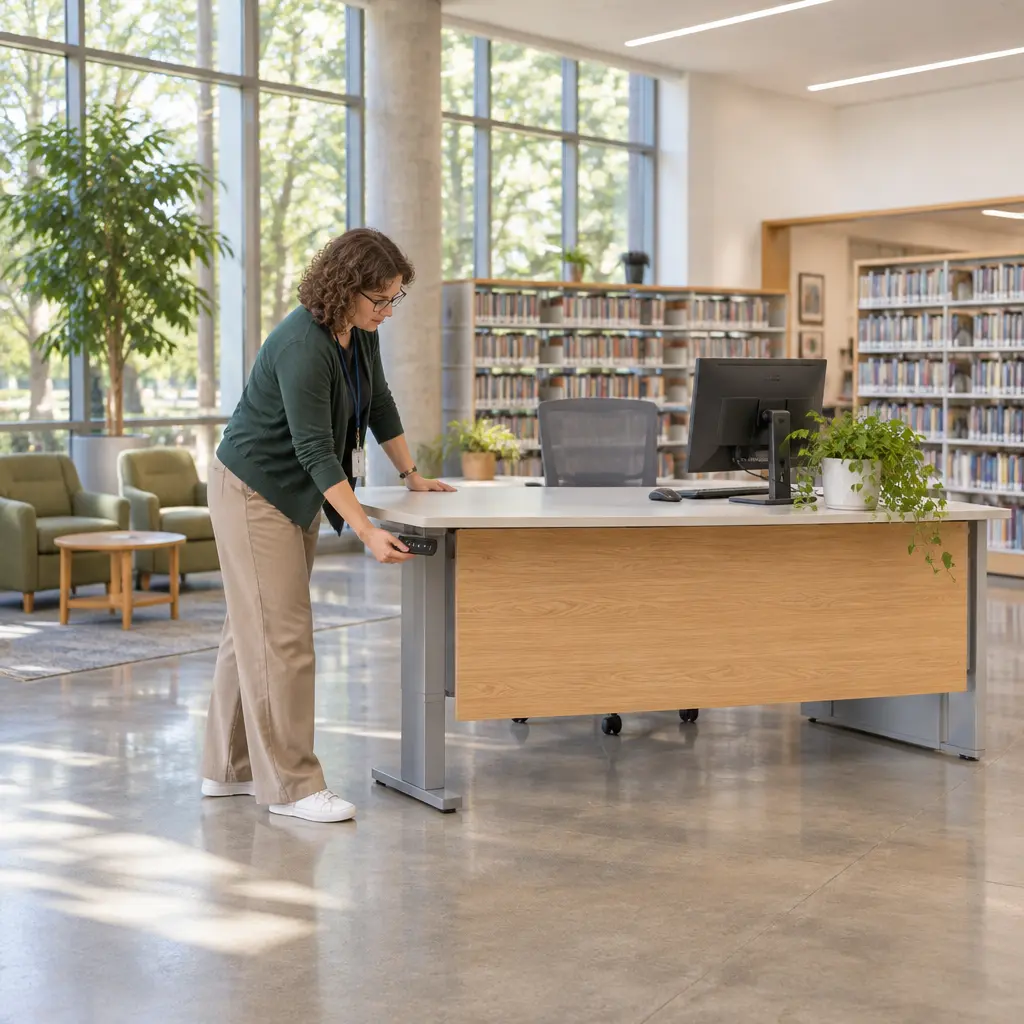
Equitable use means that people can access a service in comparable ways, with dignity and privacy, while flexibility allows different methods of use. In a library, that could mean providing both seated and standing work surfaces, multiple ways to contact staff, and self-service options that do not exclude people who need assistance. The National Center on Accessible Educational Materials notes that UDL offers multiple means of engagement, representation, and action and expression—a useful framework for library instruction, digital literacy classes, and learning resources.
Perceptible information and low-effort interaction
Perceptible information is information communicated effectively through different sensory channels, while low-effort interaction reduces unnecessary physical or cognitive demands. Libraries can combine clear text with icons, strong visual contrast, spoken announcements, tactile cues, and captions. Simple language, predictable navigation, and consistent labels can also make services easier to understand. These design choices support people with disabilities and can help visitors who are unfamiliar with the building, are learning the local language, or are using a service under time pressure.
Applies Universal Design to Physical Library Spaces
Physical universal design treats the library as a connected journey: arriving, entering, finding destinations, using collections and equipment, and accessing help or amenities. A feature that is accessible in isolation may still fail if the route leading to it is blocked or confusing. The American Library Association’s accessibility guidance therefore supports a broad view that includes facilities, communication, services, and technology, not merely entrances and restrooms.
Arrival, circulation, and wayfinding
Accessible arrival and circulation require continuous, unobstructed routes, usable doors, appropriate ramps or lifts, and circulation paths that accommodate mobility devices and varied walking speeds. Wayfinding should use consistent signs, legible typography, plain language, visual contrast, and recognizable landmarks. Where feasible, libraries can supplement signs with tactile or audio information. A walk-through audit with disabled users can reveal problems that a plan review misses, such as glare, confusing transitions, heavy doors, or signs hidden by shelving.
Furniture, collections, and service points
Universally designed furniture and service points support different body sizes, mobility, and ways of working. Examples include adjustable-height desks, seating with varied support, clear turning space, reachable shelving or staff assistance, and service counters with an accessible section. Quiet rooms, low-stimulation areas, and flexible seating can benefit people with sensory needs as well as students and researchers seeking concentration. The U.S. Access Board’s accessibility standards provide minimum technical requirements for many elements of the built environment; libraries should use those requirements alongside user testing and broader universal-design goals.
Lighting, acoustics, and sensory access
Sensory access concerns how light, sound, temperature, and visual complexity affect people’s ability to use a space. Even lighting, glare control, readable contrast, acoustic treatment, and clear separation between busy and quiet zones can make a library more comfortable. Some libraries offer sensory maps, quiet hours, or advance information about noise and crowd levels. These measures are not substitutes for individual accommodations; they are ways to reduce avoidable barriers for a broader community.
Extends Universal Design to Digital Library Environments
Digital universal design applies the same access goal to library websites, catalogs, databases, e-books, forms, learning platforms, and virtual events. A digital service is not inclusive simply because it is available online: users may encounter inaccessible authentication, unlabeled controls, keyboard barriers, poor contrast, inaccessible documents, or media without captions. The Web Content Accessibility Guidelines (WCAG) 2.2, published by the World Wide Web Consortium, organize web accessibility around four principles: content should be perceivable, operable, understandable, and robust. WCAG conformance is a valuable technical benchmark, but practical testing with users remains essential.
Accessible websites, catalogs, and forms
Accessible web interfaces use meaningful headings, descriptive link text, properly labeled form fields, keyboard-operable controls, visible focus indicators, and sufficient contrast. They also support screen readers and browser zoom without hiding essential content. A library catalog should communicate search results and errors clearly, preserve a logical reading order, and provide accessible alternatives when a database or vendor interface has limitations. Staff should test key tasks—such as searching, renewing a loan, reserving a room, and requesting assistance—using keyboards and assistive technologies.
Accessible documents, e-books, and media
Accessible digital publications preserve structure and provide alternatives for visual or auditory information. Properly tagged PDFs, reflowable e-books, descriptive image text, captions, transcripts, and audio description can make content available through different senses and devices. The U.S. Department of Justice’s 2024 Title II web and mobile application rule adopts WCAG 2.1 Level AA as the technical standard for state and local government entities, including covered public library services, with compliance dates phased according to entity size. Libraries should check applicable legal requirements and procurement terms, since vendor platforms may determine whether patrons can use essential content independently.
Assistive technology and multiple ways to participate
Assistive technology includes screen readers, screen magnification, speech input, switch devices, refreshable braille displays, and captioning tools. Universal design complements these technologies by ensuring that interfaces do not block them and by offering more than one way to complete important tasks. For example, a virtual event can provide live captions, accessible registration, dial-in participation, and materials in advance. Libraries can also offer staff support and technology lending, while preserving privacy and avoiding the assumption that every user wants or needs assistance.
Implements Universal Design Through Assessment and Co-design
Implementation works best as an ongoing process rather than a one-time renovation or website audit. The Centers for Disease Control and Prevention estimates that 28.7% of U.S. adults—about 1 in 4—have some type of disability, a reminder that access needs are common and diverse. Libraries can use this context to prioritize work, but local decisions should be guided by community feedback, observed barriers, applicable standards, and service data rather than prevalence figures alone.
Audit barriers across the whole service journey
A useful audit combines a physical walkthrough, accessibility checks of digital services, policy review, and task-based testing. Libraries can map a visitor’s journey from arrival through service completion, noting barriers at each stage. Digital reviews should include automated scans, manual keyboard testing, screen-reader checks, caption review, and evaluation of third-party vendors. Automated tools can identify some coding problems but cannot determine whether instructions are understandable or whether a service works well in real use.
Involve disabled people in design and evaluation
Co-design means involving people with disabilities as paid or otherwise appropriately compensated partners in planning, testing, and evaluation—not asking them only to approve a finished design. A library might invite patrons with varied access needs to test a new self-checkout station, review renovation plans, or assess the process for joining an online event. Their feedback can expose practical issues that technical reviews miss, while helping the library avoid treating disability as a single, uniform experience.
Set priorities, train staff, and measure progress
Libraries can prioritize barriers that prevent access to essential services, affect many users, or create safety risks, while planning a documented schedule for remaining work. Staff training should cover respectful communication, accessible document creation, assistive technology, and how to respond to accommodation requests. Useful measures include the share of high-traffic web pages tested, caption coverage for public videos, the number of unresolved critical barriers, patron feedback, and completion of staff training. These indicators should be paired with qualitative feedback, since a high compliance score does not by itself prove that a service is usable.
Conclusion: Makes Library Access a Shared Design Responsibility
Universal design connects equitable use and flexibility with accessible buildings, sensory-aware spaces, usable websites, accessible media, assistive technology, and ongoing co-design. The principles developed by the Center for Universal Design help libraries think beyond isolated accommodations, while WCAG and accessibility standards provide practical technical benchmarks. Because disability affects a substantial share of the population—and because inclusive design also helps many people without disabilities—these efforts strengthen the library’s role as a public resource.
Libraries can begin by auditing one complete service journey, inviting disabled community members to identify barriers, and setting measurable priorities for both physical and digital improvements. For further action, review the applicable accessibility standards, consult local disability organizations, and include accessibility requirements in renovation, procurement, and content-production decisions.
Sources: Center for Universal Design, North Carolina State University, The Principles of Universal Design, https://design.ncsu.edu/research/center-for-universal-design/; World Health Organization, Disability, https://www.who.int/news-room/fact-sheets/detail/disability-and-health; National Center on Accessible Educational Materials, The UDL Guidelines, https://aem.cast.org/learn/udl-guidelines; American Library Association, Library Services for People with Disabilities Policy, https://www.ala.org/advocacy/diversity/accessibility; U.S. Access Board, Guide to the ADA Accessibility Standards, https://www.access-board.gov/ada/guides/; World Wide Web Consortium, Web Content Accessibility Guidelines (WCAG) 2.2, https://www.w3.org/TR/WCAG22/; U.S. Department of Justice, Accessibility of Web Content and Mobile Apps Provided by State and Local Government Entities, https://www.ada.gov/resources/2024-03-08-web-rule/; Centers for Disease Control and Prevention, Disability and Health Data System, https://www.cdc.gov/disability-and-health/data-research/index.html.